Groups
Saved fixture selections, and how a group value differs from a fixture value.
Groups are reusable fixture selections saved under an ID and name. They speed up programming and reduce typing during live operation.
Purpose
Use groups when the same selection is used repeatedly (for example, all front wash, all spots on truss, all audience blinders).
Benefits:
- Faster cue creation
- Consistent fixture targeting
- Cleaner command history
In the GUI
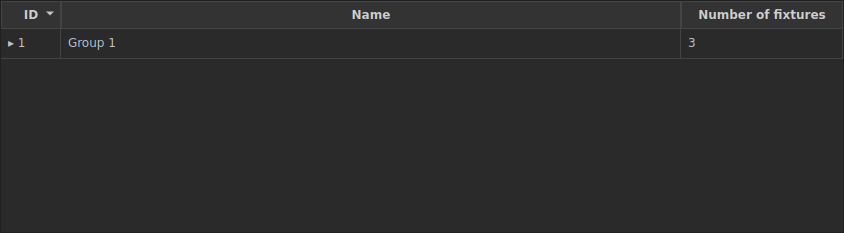
Groups live on the Fixtures & Groups tab. The Groups table lists your saved groups; the Fixtures table below it is where you pick the members.
Make a group from a selection
Select the fixtures you want in the Fixtures table, then click Add selected fixtures to new group. The new group appears in the Groups table with its member count.

Equivalent command:
STORE GROUP <n> "Name".
To rename a group, double-click its Name cell and type. To delete one, select it and click the trash button.
Equivalent commands:
GROUP <n> LABEL "New name"·DELETE GROUP <n>.
To recall a group as your selection, click its row in the Groups table
(equivalent to GROUP <n>).
CLI commands
Selecting
LIST GROUPS
GROUP 1
GROUP 1 + 3
GROUP 2 THRU 5
Managing membership
GROUP 1 ADD 9 10          # add fixtures 9 and 10
GROUP 1 REMOVE 10         # remove fixture 10
GROUP 1 CLEAR             # empty the group
GROUP 1 LABEL "New name"  # rename
DELETE GROUP 1 [FORCE]    # FORCE if referenced by cues/presets
Typical build sequence
FIXTURE 1 THRU 8
STORE GROUP 1 "Front Wash"
FIXTURE 21 THRU 28
STORE GROUP 2 "Aerial Spots"
LIST GROUPS
Behaviour details
- Groups store fixture membership, not live values.
- Selecting a group updates current fixture selection.
- Group selection can be combined and fanned like direct fixture selection.
Good practice
- Reserve low IDs for broad groups (
All Wash,All Spots). - Keep naming consistent by location or role.
- Rebuild groups after major repatching.